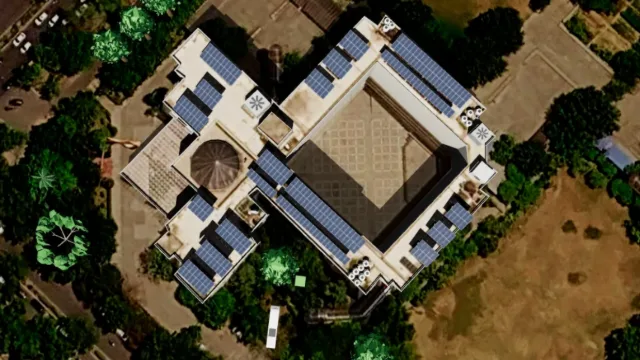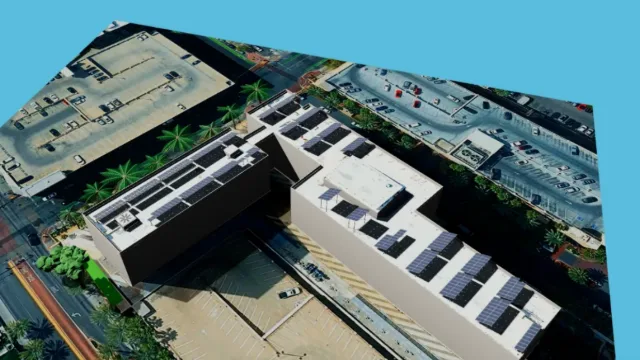
SolarDraft (also written as Solar Draft) and PVsyst get compared often, but they solve different problems. PVsyst is Swiss-developed, engineering-grade software used worldwide for detailed photovoltaic energy-yield simulation — grid-connected, standalone and pumping systems — with meteorological data import, loss analysis and 3D visualization for large installations. SolarDraft is a web-based sales platform for solar EPCs: 3D rooftop design, subsidy-ready proposals and a CRM, built to move a lead to a signed deal quickly.
So the useful question isn't “which one is better?” but “which job am I trying to get done today?”. This guide walks through both tools, the stages of a solar project where each fits, what each one produces, and how Indian EPCs typically combine them.
Key points
- SolarDraft is a sales, design and CRM platform: model the real roof, check shading, and send a subsidy-ready proposal in minutes.
- PVsyst is desktop simulation software for detailed energy-yield and loss modelling, widely used for technical validation of larger projects.
- Residential and most C&I rooftop deals move faster with a proposal-first tool; utility-scale and financed projects usually also need detailed simulation.
- Many EPCs use both: SolarDraft to win and document the deal, PVsyst where an engineer or lender asks for a detailed yield report.
At a glance
| SolarDraft | PVsyst | |
|---|---|---|
| Category | Sales, design & CRM platform for EPCs | Desktop PV energy-yield simulation software |
| Best for | Fast proposals, subsidy calculation, lead tracking | Detailed technical yield and loss modeling |
| Typical user | Sales teams and EPC owners | Design engineers and technical consultants |
| Output | Client-ready 3D proposal with pricing | Engineering simulation report with loss breakdowns |
| Platform | Web-based, works on mobile | Desktop application |
Where each tool fits in a solar project
Every rooftop or C&I project in India passes through roughly the same stages: enquiry, site assessment, design, proposal, negotiation, DISCOM paperwork, installation and commissioning. The two tools sit at different points on that line.
- Enquiry to signed deal — this is SolarDraft's ground. A salesperson can model the customer's roof on the satellite map, check shading, size the system and send a branded proposal with the PM Surya Ghar subsidy already worked out, often during the first conversation.
- Engineering validation — this is PVsyst's ground. When a project is large, financed, or technically unusual, an engineer can run a detailed yield simulation with site-specific weather data and a full loss breakdown.
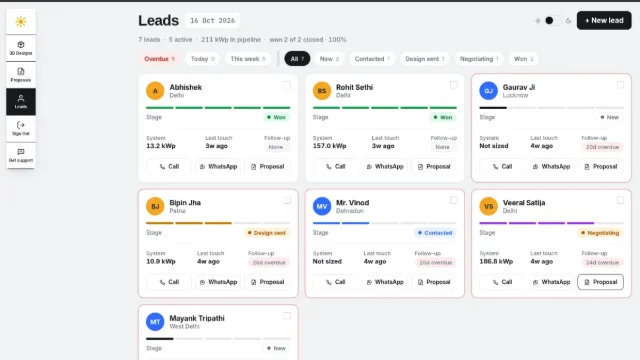
- Follow-up and handover — SolarDraft's built-in Solar CRM keeps track of the lead after the proposal is sent, which a simulation tool isn't designed to do.
| Project stage | Main need | Typical tool |
|---|---|---|
| Enquiry and site assessment | Quick, accurate view of the roof | SolarDraft |
| Design and proposal | Layout, shading, price, subsidy, payback | SolarDraft |
| Follow-up and closing | Lead tracking and reminders | SolarDraft CRM |
| Technical due diligence | Detailed yield and loss report | PVsyst (for larger or financed projects) |
| Installation and DISCOM paperwork | BOM, drawings, SLD | SolarDraft |
Key features — SolarDraft
- Generates a branded, subsidy-ready proposal in minutes.
- Built-in CRM to track the deal after the proposal goes out.
- Simple enough for a sales rep to use on a site visit, including on a phone.
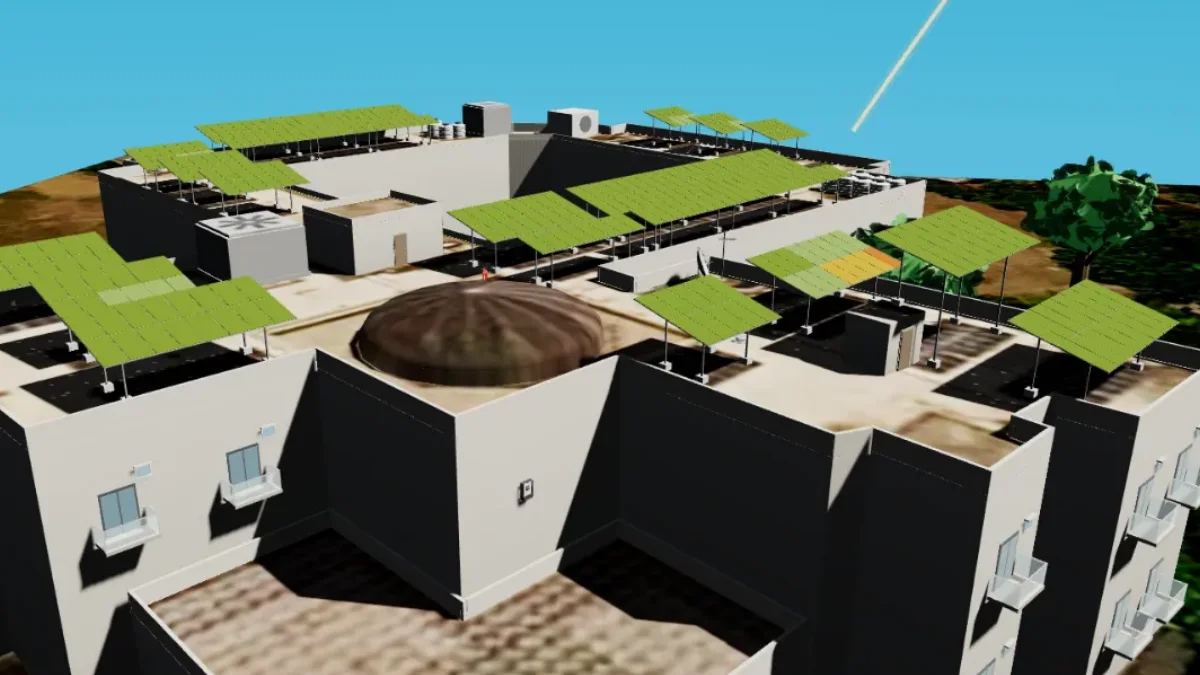
- 3D tools for the roof itself: advanced shadow analysis, structure customization and Structure BOM, PV array and string route drawings, and a Single Line Diagram.
Key features — PVsyst (per public information)
- Detailed loss analysis, including soiling and snow modeling.
- Imports sub-hourly meteorological data for high-accuracy yield estimates.
- Used widely for utility-scale and technically complex project validation.

Accuracy: what “good enough” means at each stage
A homeowner deciding on a 3 kW system needs numbers they can trust and check: how many panels fit, how much shade the water tank casts, what the system will generate and when it pays back. Those numbers come from a model of their actual roof. SolarDraft's Solar 3D Design builds that model and runs the shadow analysis on it, which is what keeps the proposal honest — see why 3D design beats guesswork.
A lender or investor evaluating a multi-megawatt plant asks a different question: what is the expected annual yield within a tight band, and what are the loss assumptions behind it? That is exactly the problem a detailed simulation tool such as PVsyst is built for.
“These aren't really competitors — SolarDraft helps you win the deal fast; PVsyst helps you validate the engineering in technical detail on larger projects.”
What each one produces
| Output | SolarDraft | PVsyst |
|---|---|---|
| Customer's roof in 3D | Yes, in the proposal | 3D scene for shading studies |
| Price, subsidy and net cost | Yes, with GST | Not the focus |
| Payback and savings | Yes, customer-friendly | Financial analysis available, aimed at technical users |
| Detailed loss diagram | Summary losses | Yes, detailed |
| Structure BOM, drawings, SLD | Yes, from the same design | Check with the vendor |
| Lead tracking | Built-in CRM | No |
How Indian EPCs typically use both
Many EPCs don't have to pick one: smaller rooftop and C&I deals typically move faster with SolarDraft's proposal-first workflow, while larger or technically complex projects may still warrant a PVsyst simulation alongside it for engineering sign-off.
- Residential rooftops (PM Surya Ghar) — a 3D design, shading check and subsidy-ready proposal are usually all the customer and the DISCOM need. Read the DISCOM approval process to see what paperwork follows.
- Commercial rooftops — SolarDraft handles the design and the commercial proposal; an engineering simulation may be added if the client's consultant asks for one. See commercial vs residential solar for how these deals differ.
- Utility-scale and financed projects — detailed simulation is part of the standard due-diligence pack.
A combined workflow
- Design the site and run the shading analysis in SolarDraft.
- Send the proposal and track the lead in the CRM.
- If the client or lender asks for it, run a detailed PVsyst simulation on the agreed layout.
- Use SolarDraft's Structure BOM, drawings and SLD for procurement, installation and DISCOM paperwork.
Questions to ask before choosing
- Who will use the tool every day — a salesperson on a site visit, or an engineer at a desk?
- Does the output need to persuade a customer, or satisfy a technical reviewer?
- Do you need lead tracking and follow-ups in the same place as the design?
- Is published pricing important for your budget? SolarDraft lists every plan on its Price List, with GST included.
For a broader checklist of what to look for in a sales-stage tool, see our solar proposal software buyer's guide.
FAQ
Is SolarDraft a PVsyst alternative?
For sales-stage design and proposals on rooftop and C&I projects, yes — that's the job it's built for. For bankable, utility-scale yield simulation, PVsyst remains the specialist tool, and many teams use both.
Can I see what a SolarDraft proposal looks like?
Yes. Browse real screens on the samples page, or download the sample proposal PDF.
Can I try SolarDraft before buying?
There is a free plan for creating 3D designs and proposals, so you can test the workflow on a real roof before choosing a paid plan.
Do residential customers need a PVsyst report?
Rarely. Homeowners need a clear design, generation, price after subsidy and payback. Detailed simulation reports are mainly requested on larger or financed projects.